> For the complete documentation index, see [llms.txt](https://documentation.alluxio.io/ee-da-en/llms.txt). Markdown versions of documentation pages are available by appending `.md` to page URLs; this page is available as [Markdown](https://documentation.alluxio.io/ee-da-en/da-2.10/client-apis/posix-api.md).
# POSIX API
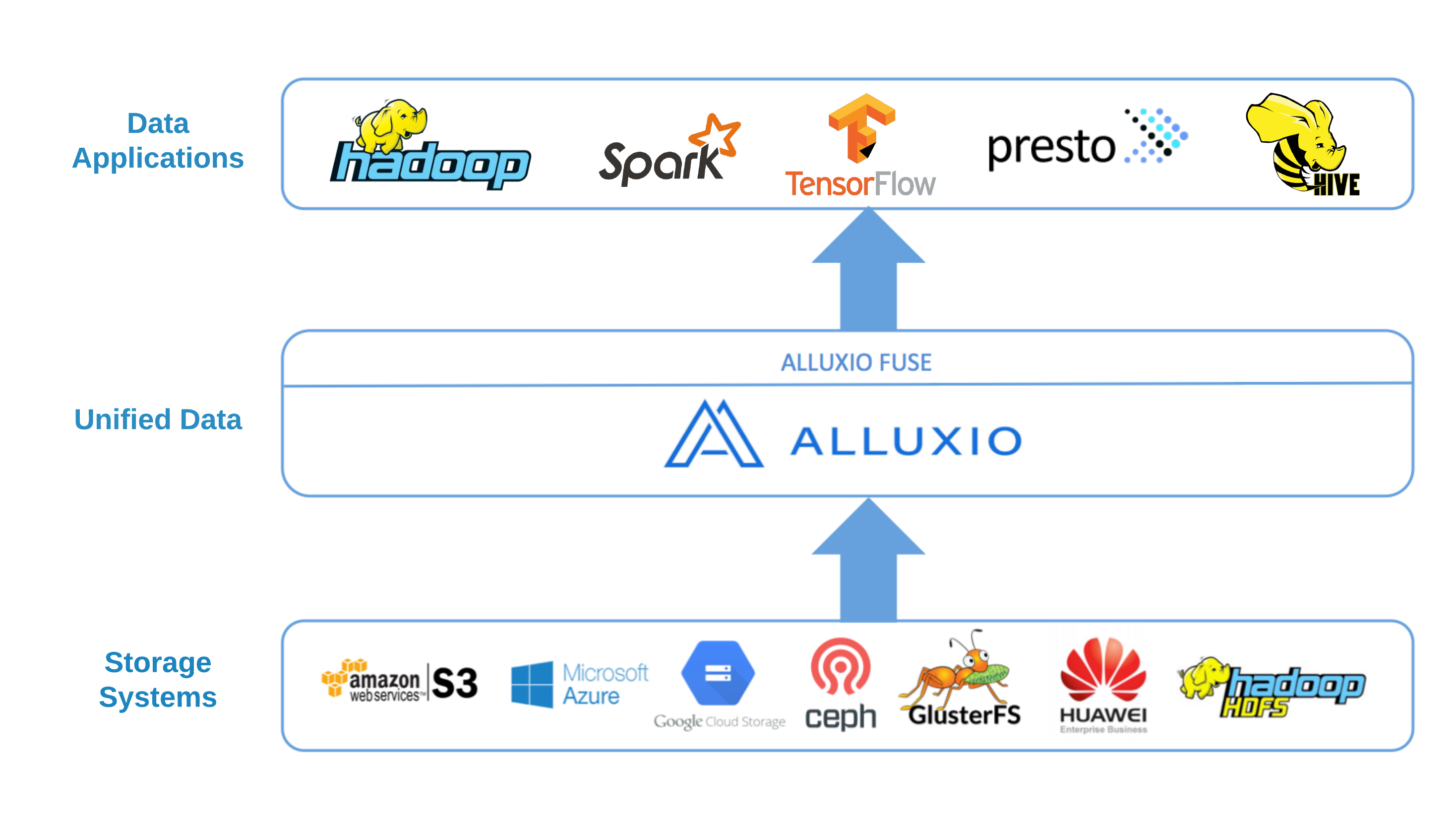
The Alluxio POSIX API is a feature that allows mounting an Alluxio File System as a standard file system on most flavors of Unix. By using this feature, standard tools (for example, `ls`, `cat` or `mkdir`) will have basic access to the Alluxio namespace. More importantly, with the POSIX API integration applications can interact with the Alluxio no matter what language (C, C++, Python, Ruby, Perl, or Java) they are written in without any Alluxio library integrations.
Note that Alluxio-FUSE is different from projects like [s3fs](https://s3fs.readthedocs.io/en/latest/), [mountableHdfs](https://cwiki.apache.org/confluence/display/HADOOP2/MountableHDFS) which mount specific storage services like S3 or HDFS to the local filesystem. The Alluxio POSIX API is a generic solution for the many storage systems supported by Alluxio. Data orchestration and caching features from Alluxio speed up I/O access to frequently used data.
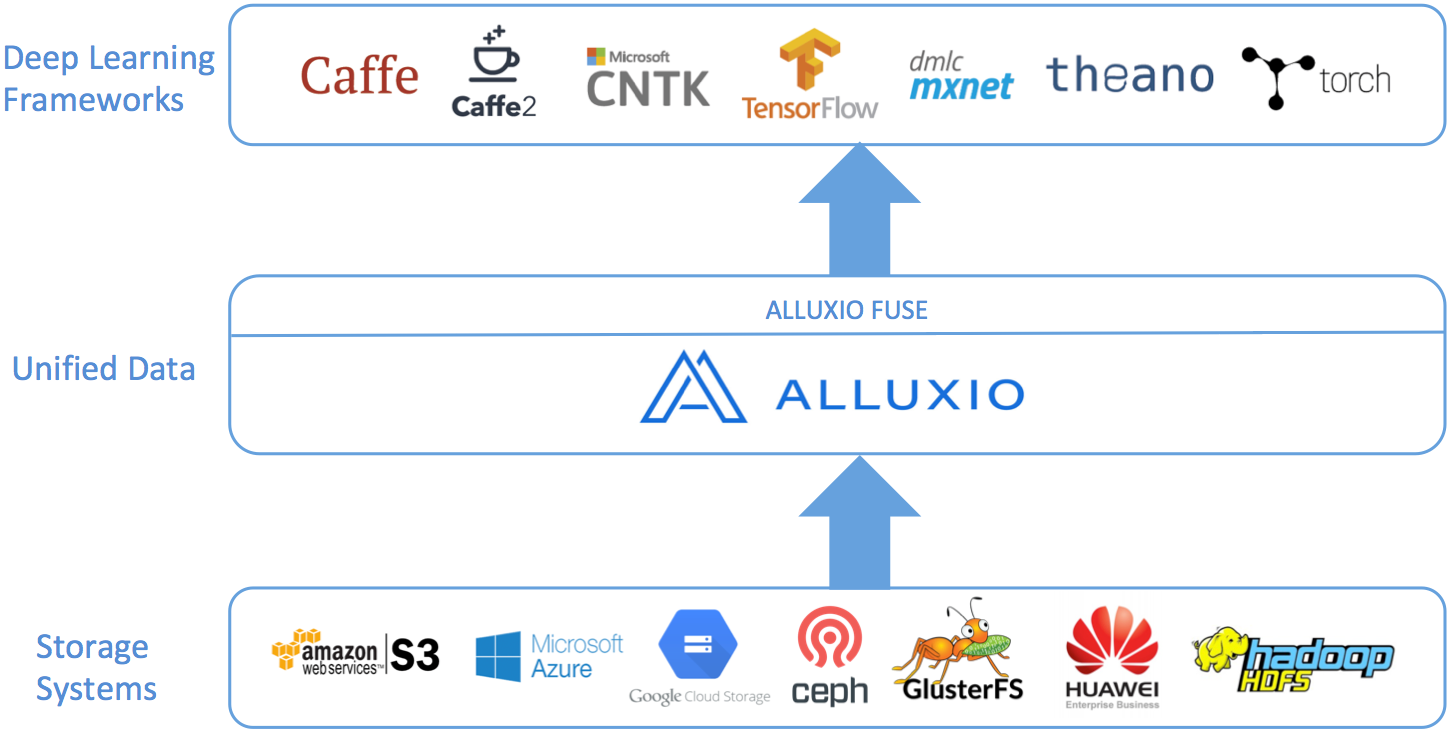
Right now Alluxio POSIX API mainly targets the ML/AI workloads (especially read heavy workloads).
The Alluxio POSIX API is based on the [Filesystem in Userspace](http://fuse.sourceforge.net/) (FUSE) project. Most basic file system operations are supported. However, given the intrinsic characteristics of Alluxio, like its write-once/read-many-times file data model, the mounted file system does not have full POSIX semantics and contains some limitations. Please read the [functionalities and limitations](#functionalities-and-limitations) for details.
For additional limitation on file path names on Alluxio please check : [Alluxio limitations](/ee-da-en/da-2.10/administration/troubleshooting.md#file-path-limitations)
## Quick Start Example
This example shows how to mount the whole Alluxio cluster to a local directory and run operations against the directory.
### Prerequisites
The followings are the basic requirements running ALLUXIO POSIX API. Installing Alluxio POSIX API using [Docker](/ee-da-en/da-2.10/install-alluxio/running-alluxio-on-docker.md#enable-posix-api-access) and [Kubernetes](/ee-da-en/da-2.10/kubernetes/running-alluxio-on-kubernetes.md#posix-api) can further simplify the setup.
* Have a running Alluxio cluster
* On one of the following supported operating systems
* MacOS 10.10 or later
* CentOS - 6.8 or 7
* RHEL - 7.x
* Ubuntu - 16.04
* Install JDK 11, or newer
* JDK 8 has been reported to have some bugs that may crash the FUSE applications, see [issue](https://github.com/Alluxio/alluxio/issues/15015) for more details.
* Install libfuse
* On Linux, we support libfuse both version 2 and 3
* To use with libfuse2, install [libfuse](https://github.com/libfuse/libfuse) 2.9.3 or newer (2.8.3 has been reported to also work with some warnings). For example on a Redhat, run `yum install fuse fuse-devel`
* To use with libfuse3, install [libfuse](https://github.com/libfuse/libfuse) 3.2.6 or newer (We are currently testing against 3.2.6). For example on a Redhat, run `yum install fuse3 fuse3-devel`
* See [Select which libfuse version to use](#select-libfuse-version) to learn more about the libfuse version used by alluxio
* On MacOS, install [osxfuse](https://osxfuse.github.io/) 3.7.1 or newer. For example, run `brew install osxfuse`
### Mount Alluxio as a FUSE Mount Point
After properly configuring and starting an Alluxio cluster; Run the following command on the node where you want to create the mount point:
```console
$ ${ALLUXIO_HOME}/integration/fuse/bin/alluxio-fuse mount \
[] []
```
This will spawn a background user-space java process (`AlluxioFuse`) that will mount the Alluxio path specified at `` to the local file system on the specified ``.
For example, running the following commands from the `${ALLUXIO_HOME}` directory will mount the Alluxio path `/people` to the directory `/mnt/people` on the local file system.
```console
# Create the Alluxio directory to be mounted
$ ${ALLUXIO_HOME}/bin/alluxio fs mkdir /people
# Prepare the local directory to mount the Alluxio directory to
$ sudo mkdir -p /mnt/people
$ sudo chown $(whoami) /mnt/people
$ chmod 755 /mnt/people
# Mount the alluxio directory to the local directory
$ ${ALLUXIO_HOME}/integration/fuse/bin/alluxio-fuse mount /mnt/people /people
```
Note that the `` must be an existing and empty path in your local file system hierarchy and that the user that runs the `integration/fuse/bin/alluxio-fuse` script must own the mount point and have read and write permissions on it.
Multiple Alluxio FUSE mount points can be created in the same node. All the `AlluxioFuse` processes share the same log output at `${ALLUXIO_HOME}/logs/fuse.log`, which is useful for troubleshooting when errors happen on operations under the filesystem.
See [configuration](#configuration) section for how to improve the Alluxio POSIX API performance especially during training workloads.
### Check Mount Status
FUSE mount points can be checked via `mount` command:
```console
# Mac
$ mount
java@macfuse0 on (macfuse, nodev, nosuid, synchronous, mounted by alluxio)
# Linux
$ mount
alluxio-fuse on /mnt/people type fuse.alluxio-fuse (rw,nosuid,nodev,relatime,user_id=1100,group_id=1100)
```
FUSE processes can be found via `jps` or `ps` commands.
Mounted Alluxio path information can be found via Alluxio FUSE script:
```console
$ ${ALLUXIO_HOME}/integration/fuse/bin/alluxio-fuse stat
pid mount_point alluxio_path
80846 /mnt/people /people
80847 /mnt/sales /sales
```
### Run Operations against the FUSE Mount Point
After mounting, one can run operations (e.g. shell commands, training) against the local directory:
```console
$ cp ${ALLUXIO_HOME}/LICENSE /mnt/people/
$ ls /mnt/people/LICENSE
LICENSE
$ ${ALLUXIO_HOME}/bin/alluxio fs ls /people/LICENSE
-rw-r--r-- alluxio alluxio 27040 PERSISTED 10-11-2022 23:26:03:406 100% /people/LICENSE
```
The operations will be translated and executed by the Alluxio system and may be executed on the under storage based on configuration.
Note that unlike Alluxio CLIs which show detailed error messages, user operations via Alluxio Fuse mount point will only receive error message pre-defined by FUSE which may not be informative. For example, once an error happens, it is common to see:
```console
$ ls /mnt/people/LICENSE
ls: /mnt/people/LICENSE: Input/output error
```
In this case, check Alluxio Fuse logs (located at `${ALLUXIO_HOME}/logs/fuse.log`) for the actual error message. For example, the command may fail because unable to connect to the Alluxio master:
```
2021-08-30 12:07:52,489 ERROR AlluxioJniFuseFileSystem - Failed to getattr /mnt/people/LICENSE:
alluxio.exception.status.UnavailableException: Failed to connect to master (localhost:19998) after 44 attempts.Please check if Alluxio master is currently running on "localhost:19998". Service="FileSystemMasterClient"
at alluxio.AbstractClient.connect(AbstractClient.java:279)
```
### Unmount
Umount a mounted FUSE mount point:
```console
$ ${ALLUXIO_HOME}/integration/fuse/bin/alluxio-fuse unmount mount_point
```
For example,
```console
$ ${ALLUXIO_HOME}/integration/fuse/bin/alluxio-fuse unmount /mnt/people
Unmount fuse at /mnt/people (PID:97626).
```
See [umount options](#alluxio-fuse-unmount-options) for more advanced umount settings.
## Functionalities and Limitations
Most basic file system operations are supported. However, due to Alluxio implicit characteristics, some operations are not fully supported.
| Category | Supported Operations | Not Supported Operations |
| -------------- | ------------------------------------------------------------------------------------------------------------- | -------------------------------------------------------------------------------------------------------------- |
| Metadata Write | Create file, delete file, create directory, delete directory, rename, change owner, change group, change mode | Symlink, link, change access/modification time (utimens), change special file attributes (chattr), sticky bit |
| Metadata Read | Get file status, get directory status, list directory status | |
| Data Write | Sequential write | Append write, random write, overwrite, truncate, concurrently write the same file by multiple threads/clients |
| Data Read | Sequential read, random read, multiple threads/clients concurrently read the same file | |
| Combinations | | FIFO special file type, Rename when writing the source file, reading and writing concurrently on the same file |
Note that all file/dir permissions are checked against the user launching the AlluxioFuse process instead of the end user running the operations. See [Security section](#security-configuration) for more details about the configuration and limitation of Alluxio POSIX API security.
## Configuration
Alluxio FUSE can be launched and ran without extra configuration for basic workloads. This section lists configuration suggestions to improve the performance and stability of training workloads which involve much smaller files and have much higher concurrency.
### Training Tuning
The following configurations are validated in training production workloads to help improve the training performance and/or system efficiency. Add the configuration before starting the corresponding services (Master/Worker/Fuse process).
`/conf/alluxio-env.sh`:
```config
# Enable Java 11 + G1GC for all Alluxio processes including Alluxio master, worker and fuse processes.
# Different from analytics workloads, training workloads generally have higher concurrency and more files involved.
# Likely that much more RPCs are issues between processes which results in a higher memory consumption and more intense GC activities.
# Enabling Java 11 + G1GC has been proved to improve GC activities in training workloads.
ALLUXIO_MASTER_JAVA_OPTS="-Xmx128G -Xms128G -XX:+UseG1GC"
ALLUXIO_WORKER_JAVA_OPTS="-Xmx32G -Xms32G -XX:MaxDirectMemorySize=32G -XX:+UseG1GC"
ALLUXIO_FUSE_JAVA_OPTS="-Xmx16G -Xms16G -XX:MaxDirectMemorySize=16G -XX:+UseG1GC"
```
`/conf/alluxio-site.properties`:
```config
# By default, a master RPC will be issued to Alluxio Master to update the file access time whenever a user accesses it.
# If disabled, the client doesn't update file access time which may improve the file access performance
alluxio.user.update.file.accesstime.disabled=true
# Most training workloads deploy the Alluxio cluster and training cluster separately.
# Alluxio passive cache which helps cache a new copy of data in local worker is not needed in this case
alluxio.user.file.passive.cache.enabled=false
# no need to check replication level if written only once
alluxio.master.replication.check.interval=1hr
```
When using POSIX API with a large amount of small files, recommend setting the following extra properties:
```config
# Use ROCKS metastore to store metadata on disk to support a large dataset (1 billion files)
alluxio.master.metastore=ROCKS
# Cache hot metadata on heap to speed up metadata access
# The suggested maximum metadata cache size can be calculated by
# by Math.min(, /3/2KB per inode)
# For example, when the master has 120GB max memory size (-Xmx=120GB) and the dataset file number is around 60 million,
# the maximum metadata cache size is suggested to be set up to 20 million
alluxio.master.metastore.inode.cache.max.size=20000000
# Enlarge worker RPC clients to communicate to master
alluxio.worker.block.master.client.pool.size=32
# Enlarge job worker threadpool to speed up data loading with `alluxio fs distributedLoad` command
alluxio.job.worker.threadpool.size=64
```
### Cache Tuning
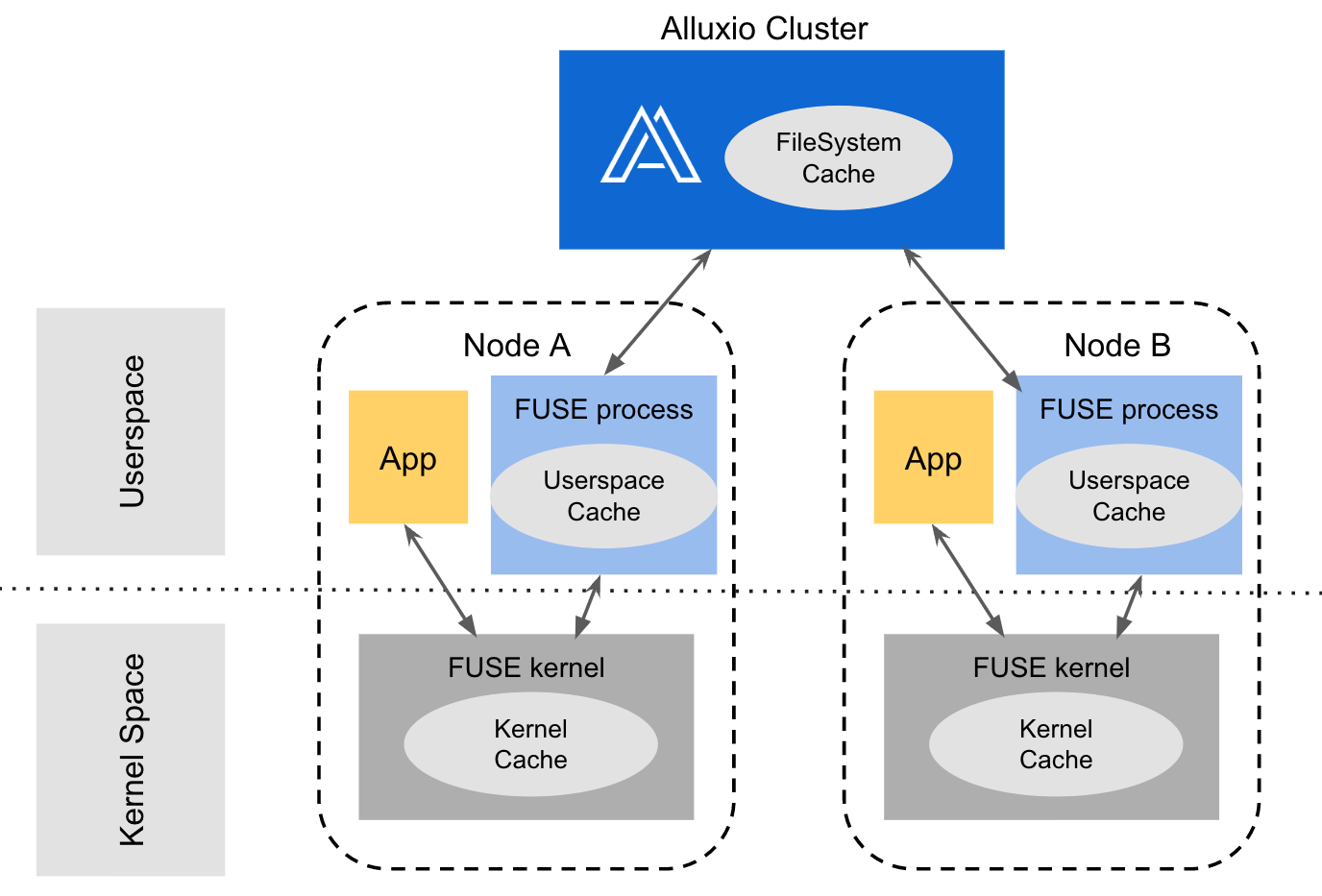
When an application runs an operation against the local FUSE mount point. The request will be processed by FUSE kernel, Fuse process, and Alluxio system sequentially. If at any level, cache is enabled and there is a hit, cached metadata/data will be returned to the application without going through the whole process to improve the overall read performance.
While Alluxio system (master and worker) provides remote distributed metadata/data cache to speed up the metadata/data access of Alluxio under storage files/directories, Alluxio FUSE provides another layer of local metadata/data cache on the application nodes to further speed up the metadata/data access.
Alluxio FUSE can provide two kinds of metadata/data cache, the kernel cache and the userspace cache.
* Kernel cache is executed by Linux kernel with metadata/data stored in operating system kernel cache.
* Userspace cache is controlled and managed by Alluxio FUSE process with metadata/data stored in user configured location (process memory for metadata, ramdisk/disk for data).
The following illustration shows the layers of cache — FUSE kernel cache, FUSE userspace cache, Alluxio system cache.
Since FUSE kernel cache and userspace cache both provide caching capability, although they can be enabled at the same time, it is recommended to choose only one of them to avoid double memory consumption. Here is a guideline on how to choose between the two cache types based on your environment and needs.
* Kernel Cache (Recommended): kernel cache provides significantly better performance, scalability, and resource consumption compared to userspace cache. However, kernel cache is managed by the underlying operating system instead of Alluxio or end-users. High kernel memory usage may affect the Alluxio FUSE pod stability in the kubernetes environment. This is something to watch out for when using kernel cache.
* Userspace Cache: userspace cache in contrast is relatively worse in performance, scalability, and resource consumption. It also requires pre-calculated and pre-allocated cache resources when launching the process. Despite the disadvantages, users can have more fine-grain control on the cache (e.g. maximum cache size, eviction policy) and the cache will not affect other applications in containerized environment unexpectedly.
#### FUSE Cache Limitations
Alluxio FUSE cache (Userspace cache or Kernel cache) is a single-node cache solution, which means modifications to the underlying Alluxio cluster through other Alluxio clients or other Alluxio FUSE mount points may not be visible immediately by the current Alluxio FUSE cache. This would cause cached data to become stale. Some examples are listed below:
* metadata cache: the file or directory metadata such as size, or modification timestamp cached on `Node A` might be stale if the file is being modified concurrently by an application on `Node B`.
* data cache: `Node A` may read a cached file without knowing that Node B had already deleted or overwritten the file in the underlying Alluxio cluster. When this happens the content read by `Node A` is stale.
#### Metadata Cache
Metadata cache may significantly improve the read training performance especially when loading a large amount of small files repeatedly. FUSE kernel issues extra metadata read operations (sometimes can be 3 - 7 times more) compared to [Alluxio Java API](/ee-da-en/da-2.10/client-apis/java-api.md)) when applications are doing metadata operations or even data operations. Even a 1-minute temporary metadata cache may double metadata read throughput or small file data loading throughput.
Kernel Metadata Cache Configuration
If your environment is as follows:
* Launching Alluxio FUSE in bare metal machine
* Enough memory resources will be allocated to Alluxio FUSE container so that it will not be killed unexpectedly when memory usage (Fuse process memory + Fuse kernel cache) exceeds the configured container memory limit.
Then the recommendation is to use kernel metadata cache.
Kernel metadata cache is defined by the following FUSE mount options:
* [attr\_timeout](https://manpages.debian.org/testing/fuse/mount.fuse.8.en.html#attr_timeout=T): Specifies the timeout in seconds for which file/directory metadata are cached. The default is 1.0 second.
* [entry\_timeout](https://manpages.debian.org/testing/fuse/mount.fuse.8.en.html#entry_timeout=T): Specifies the timeout in seconds for which directory listing results are cached. The default is 1.0 second.
Enable via Fuse mount command:
```console
$ ${ALLUXIO_HOME}/integration/fuse/bin/alluxio-fuse mount -o attr_timeout=600,entry_timeout=600 /mnt/people /people
```
Enable via Alluxio configuration before mounting, edit the `${ALLUXIO_HOME}/conf/alluxio-site.properties`:
```config
alluxio.fuse.mount.options=entry_timeout=600,attr_timeout=600
```
Recommend to set the timeout values based on the following factors:
* Memory resources. The longer the timeout, the more metadata may be cached by kernel which contributes to higher memory consumption. One can pre-decide how much memory to allocate to metadata kernel cache first. Monitor the actual memory consumption while setting a large enough timeout value. Then decide the timeout value suitable for the target memory usage.
* Dataset in-use time. If the timeout value is bigger than the whole dataset in-use time and there are enough available memory resources, cache invalidation and refresh will not be triggered, thus the highest cache-hit ratio and best performance can be achieved.
* Dataset size. Kernel metadata cache for a single file takes around 300 bytes (up to 1KB), 3GB (up to 10GB) for 10 million files. If the memory space needed for caching the metadata of the whole dataset is much smaller than the available memory resources, recommend setting the timeout to your dataset in-use time. Otherwise, you may need to trade-off between memory consumption and cache-hit ratio.
Note that, even a short period (e.g. `timeout=60` or `timeout=600`) of kernel metadata cache may significantly improve the overall metadata read performance and/or data read performance. Test against your common workloads to find out the optimal value.
Userspace Metadata Cache Configuration
Userspace metadata cache can be enabled via setting Alluxio configuration in `${ALLUXIO_HOME}/conf/alluxio-site.properties` before mounting:
```config
alluxio.user.metadata.cache.enabled=true
alluxio.user.metadata.cache.expiration.time=2h
alluxio.user.metadata.cache.max.size=2000000
```
The metadata is cached in the AlluxioFuse Java process heap so make sure `cache.max.size * 2KB * 2 < AlluxioFuse process maximum memory allocated`. For example, if AlluxioFuse is launched with `-Xmx=16GB` and metadata cache can use up to 8GB memory, then `cache.max.size` should be smaller than 4 million. The default max cache size is `100000` which takes about `200MB` heap space.
When the data is updated via other Alluxio clients, the metadata cache needs to be updated otherwise it will be stale until reaches `alluxio.user.metadata.cache.expiration.time` (default is `10min`). Metadata cache can be invalidated manually through Alluxio FUSE shell which is enabled by setting `alluxio.fuse.special.command.enabled=true` in `${ALLUXIO_HOME}/conf/alluxio-site.properties` before mounting FUSE.
Run the Fuse shell command to clear all the cached metadata:
```console
$ ls -l /path/to/mountpoint/.alluxiocli.metadatacache.dropAll
```
Run the Fuse shell to clear the metadata cache of a specific path:
```console
$ ls -l /path/to/mountpoint/dir/dir1/.alluxiocli.metadatacache.drop
```
The above command will clear the metadata cache of `/path/to/mountpoint/dir/dir1`, all its ancestor directories, and all its descendants files or directories.
Run the Fuse shell to know the total number of paths that are cached locally:
```console
$ ls -l /path/to/mountpoint/.alluxiocli.metadatacache.size
```
You will get metadata cache size in file size field, as in the output below:
```
---------- 1 root root 13 Jan 1 1970 /path/to/mountpoint/.alluxiocli.metadatacache.size
```
#### Data Cache
Kernel Data Cache Configuration
FUSE has the following I/O modes controlling whether data will be cached and the cache invalidation policy:
* `direct_io` (default): disables the kernel data cache
* `kernel_cache`: always cache data in kernel and no cache invalidation is happening. This should only be enabled on filesystem where the file data is never changed externally (not through the current FUSE mount point)
* `auto_cache`: cache data in kernel and invalidate cache if the modification time or the size of the file has changed
Kernel data cache will significantly improve the I/O performance but is easy to consume a large amount of node memory. In plain machine environment, kernel memory will be reclaimed automatically when the node is under memory pressure and will not affect the stability of AlluxioFuse process or other applications on the node. However, in containerized environment, kernel data cache will be calculated as the container used memory. When the container used memory exceeds the configured container maximum memory, Kubernetes or other container management tool may kill one of the process in the container which will cause the AlluxioFuse process to exit and the application running on top of the Alluxio FUSE mount point to fail. To avoid this circumstances, use `direct_io` mode or use a script to cleanup the node kernel cache periodically.
Userspace Data Cache Configuration
Userspace data cache can be enabled via setting Alluxio client configuration in `${ALLUXIO_HOME}/conf/alluxio-site.properties` before mounting:
```config
alluxio.user.client.cache.enabled=true
alluxio.user.client.cache.dirs=/tmp/alluxio_cache
alluxio.user.client.cache.size=10GB
```
Data can be cached on ramdisk or disk based on the type of the cache directory.
### Security Configuration
The security of the Alluxio POSIX API does not exactly follow the POSIX standard. This is a known limitation and we are working to improve it.
#### Permission Check
All file/dir permissions in Alluxio POSIX API are checked against the user launching the AlluxioFuse process instead of the end user running the operations.
#### User Group Policy
User group policies decide the user/group of the created file/dir and the user/group shown in the get file/dir path status operations.
Three user group policies can be chosen from:
| | Policy Name | (Default) Launch User Group Policy | System User Group Policy | Custom User Group Policy |
| - | ---------------------------------------------------------------- | --------------------------------------------------------- | --------------------------------------------------------------------------------- | ----------------------------------- |
| | Security Guard | Weak | Strong | Weak |
| | Performance Overhead | Low | High. Each create/list file/dir operation needs to do user/group translation | Low |
| | The user/group of the file/dir created through Alluxio POSIX API | The user/group that launches the Alluxio FUSE application | The user/group that runs the file/dir creation operation | The configured customize user/group |
| | The user/group of the file/dir listed through Alluxio POSIX API | The user/group that launches the Alluxio FUSE application | The actual file/dir user/group, or -1 if user/group not found in the local system | The configured customize user/group |
The detailed configuration and example usage are listed below:
Launch User Group Policy
This is the default user group policy (set via \`alluxio.fuse.auth.policy.class=alluxio.fuse.auth.LaunchUserGroupAuthPolicy\`).
Assuming user `alluxio-user` with group `alluxio-group` launches the FUSE process.
```console
# The user/group of all files/dirs created through the FUSE mount point is set to the user/group that launches the FUSE application
$ touch /mnt/people/file
$ ls -al /mnt/people/file
-rw-r--r-- 1 alluxio-user alluxio-group 0 Oct 11 23:26 file
$ ${ALLUXIO_HOME}/bin/alluxio fs ls /people/file
-rw-r--r-- alluxio-user alluxio-group 0 PERSISTED 10-11-2022 23:26:03:406 100% /people/file
# Regardless of the actual file/dir user/group,
# getting file/dir status through the FUSE mount point will show the user/group that launches the FUSE application
$ ${ALLUXIO_HOME}/bin/alluxio fs ls /people/file
-rw-r--r-- nonexisting-user nonexisting-group 27040 PERSISTED 10-11-2022 23:26:03:406 100% /people/file
$ ls -al /mnt/people/file
-rw-r--r-- 1 alluxio-user alluxio-group 27040 Oct 11 23:26 LICENSE
```
This policy has weak security support but with minimum performance overhead.
System User Group Policy
Enabled via setting \`alluxio.fuse.auth.policy.class=alluxio.fuse.auth.SystemUserGroupAuthPolicy\` in \`${ALLUXIO\_HOME}/conf/alluxio-site.properties\`.
Assuming user `alluxio-user` with group `alluxio-group` launches the FUSE process and user `end-user` with group `end-group` runs the actual operations against the FUSE mount point:
```console
# The user/group of all files/dirs created through the FUSE mount point is set to the end user/group that runs the operation
$ cp LICENSE /mnt/people/LICENSE
$ ls -al /mnt/people/LICENSE
-rw-r--r-- 1 end-user end-group 27040 Oct 11 23:26 LICENSE
$ ${ALLUXIO_HOME}/bin/alluxio fs ls /people/LICENSE
-rw-r--r-- end-user end-group 27040 PERSISTED 10-11-2022 23:26:03:406 100% /people/LICENSE
# Permission check is run against the user launching the AlluxioFuse process `alluxio-user:alluxio-group`
# which does not have the write permission
$ rm /mnt/people/LICENSE
rm: cannot remove '/mnt/people/LICENSE': Permission denied
# The user/group of all file/dir statuses getting via the FUSE mount point is translated to local system user/group.
$ ${ALLUXIO_HOME}/bin/alluxio fs chown other-user:other-group /people/LICENSE
$ ls -al /mnt/people/LICENSE
-rw-r--r-- 1 other-user other-group 27040 Oct 11 23:26 LICENSE
# If cannot be translated, the user/group of file/dir will be shown as -1 (or other default string based on the operating system settings)
$ ${ALLUXIO_HOME}/bin/alluxio fs ls /people/file
-rw-r--r-- nonexisting-user nonexisting-group 27040 PERSISTED 10-11-2022 23:26:03:406 100% /people/file
$ ls -al /mnt/people/file
-rw-r--r-- 1 -1 -1 27040 Oct 11 23:26 LICENSE
```
This matches POSIX standard but sacrifices performance.
Custom User Group Policy
Enabling by adding the following configuration in \`${ALLUXIO\_HOME}/conf/alluxio-site.properties\`: \`\`\`config alluxio.fuse.auth.policy.class=alluxio.fuse.auth.CustomAuthPolicy alluxio.fuse.auth.policy.custom.user= alluxio.fuse.auth.policy.custom.group= \`\`\`
Assuming user `alluxio-user` with group `alluxio-group` launches the FUSE process, user `end-user` with group `end-group` runs the actual operations against the FUSE mount point, and user `custom-user` with group `custom-group` is configured.
```console
# The user/group of all files/dirs created through the FUSE mount point is set to the configured customized user/group
$ touch /mnt/people/file
$ ls -al /mnt/people/file
-rw-r--r-- 1 custom-user custom-group 0 Oct 11 23:26 file
$ ${ALLUXIO_HOME}/bin/alluxio fs ls /people/file
-rw-r--r-- custom-user custom-group 0 PERSISTED 10-11-2022 23:26:03:406 100% /people/file
# Regardless of the actual file/dir user/group,
# getting file/dir status through the FUSE mount point will show the configured customized user/group
$ ${ALLUXIO_HOME}/bin/alluxio fs ls /people/file
-rw-r--r-- nonexisting-user nonexisting-group 27040 PERSISTED 10-11-2022 23:26:03:406 100% /people/file
$ ls -al /mnt/people/file
-rw-r--r-- 1 custom-user custom-group 27040 Oct 11 23:26 LICENSE
```
This policy has weak security support but with minimum performance overhead.
### Advanced Configuration
#### Select Libfuse Version
Alluxio now supports both libfuse2 and libfuse3. Alluxio FUSE on libfuse2 is more stable and has been tested in production. Alluxio FUSE on libfuse3 is currently experimental but under active development. Alluxio will focus more on libfuse3 and utilize new features provided.
If only one version of libfuse is installed, that version is used. In most distros, libfuse2 and libfuse3 can coexist. If both versions are installed, **libfuse2** will be used by default (for backward compatibility).
To set the version explicitly, add the following configuration in `${ALLUXIO_HOME}/conf/alluxio-site.properties`.
```
alluxio.fuse.jnifuse.libfuse.version=3
```
Valid values are `2` (use libfuse2 only), `3` (use libfuse3 only) or other integer value (load libfuse2 first, and if failed, load libfuse3).
See `logs/fuse.out` for which version is used.
```
INFO NativeLibraryLoader - Loaded libjnifuse with libfuse version 2(or 3).
```
#### FUSE Mount Options
You can use `alluxio-fuse mount -o [comma separated mount options]` to set mount options when launching the standalone Fuse process. If no mount option is provided, the value of alluxio configuration `alluxio.fuse.mount.options` (default: `direct_io`) will be used.
Different versions of `libfuse` and `osxfuse` may support different mount options. The available Linux mount options are listed [here](http://man7.org/linux/man-pages/man8/mount.fuse3.8.html). The mount options of MacOS with osxfuse are listed [here](https://github.com/osxfuse/osxfuse/wiki/Mount-options) . Some mount options (e.g. `allow_other` and `allow_root`) need additional set-up and the set-up process may be different depending on the platform.
```console
$ ${ALLUXIO_HOME}/integration/fuse/bin/alluxio-fuse mount \
-o [comma separated mount options] [mount_point] [alluxio_path]
```
Tuning mount options
`kernel_cache` utilizes kernel system caching and improves read performance. This should only be enabled on filesystems, where the file data is never changed externally (not through the mounted FUSE filesystem)`auto_cache` utilizes kernel system caching and improves read performance. Instead of unconditionally keeping cached data, the cached data is invalidated if the modification time or the size of the file has changed since it was last opened. See \[libfuse documentation]\() for more info`max_read=N`
| Mount option | Default value | Tuning suggestion | Description |
| ---------------- | ------------------ | --------------------------------------------------------------------------------------------------------------------------------------------------------------------------------------------- | ----------------------------------------------------------------------------------------------------------------------------------------------------------------------------------------------------------------------------- |
| direct\_io | enabled by default | set when deploying AlluxioFuse in Kubernetes environment | When \`direct\_io\` is enabled, kernel will not cache data and read-ahead. It eliminates the use of system buffer cache and improves pod stability in kubernetes environment |
| kernel\_cache | | | |
| auto\_cache | | set when deploying AlluxioFuse in plain machine | |
| attr\_timeout=N | 1.0 | 600 | The timeout in seconds for which file/directory attributes are cached |
| big\_writes | | Set | Stop Fuse from splitting I/O into small chunks and speed up write. \[Not supported in libfuse3]\(). Will be ignored if libfuse3 is used. |
| entry\_timeout=N | 1.0 | 600 | The timeout in seconds for which name lookups will be cached |
| 131072 | Use default value | Define the maximum size of data can be read in a single Fuse request. The default is infinite. Note that the size of read requests is limited anyway to 32 pages (which is 128kbyte on i386). | |
A special mount option is the `max_idle_threads=N` which defines the maximum number of idle fuse daemon threads allowed. If the value is too small, FUSE may frequently create and destroy threads which will introduce extra performance overhead. Note that, libfuse introduce this mount option in 3.2 while Alluxio FUSE supports libfuse 2.9.X which does not have this mount option.
The Alluxio docker image [alluxio/alluxio-enterprise](https://hub.docker.com/r/alluxio/alluxio-enterprise/) enables this property by modifying the [libfuse source code](https://github.com/Alluxio/libfuse/tree/fuse_2_9_5_customize_multi_threads).
In alluxio docker image, the default value for `MAX_IDLE_THREADS` is 64. If you want to use another value in your container, you could set it via environment variable at container start time:
```console
$ docker run -d --rm \
...
--env MAX_IDLE_THREADS=128 \
alluxio/alluxio-enterprise fuse
```
Example: `allow_other` and `allow_root`
By default, Alluxio-FUSE mount point can only be accessed by the user mounting the Alluxio namespace to the local filesystem.
For Linux, add the following line to file `/etc/fuse.conf` to allow other users or allow root to access the mounted directory:
```
user_allow_other
```
Only after this step that non-root users have the permission to specify the `allow_other` or `allow_root` mount options.
For MacOS, follow the [osxfuse allow\_other instructions](https://github.com/osxfuse/osxfuse/wiki/Mount-options) to allow other users to use the `allow_other` and `allow_root` mount options.
After setting up, pass the `allow_other` or `allow_root` mount options when mounting Alluxio-FUSE:
```console
# All users (including root) can access the files.
$ integration/fuse/bin/alluxio-fuse mount -o allow_other mount_point [alluxio_path]
# The user mounting the filesystem and root can access the files.
$ integration/fuse/bin/alluxio-fuse mount -o allow_root mount_point [alluxio_path]
```
Note that only one of the `allow_other` or `allow_root` could be set.
#### Alluxio FUSE Mount Configuration
These are the configuration parameters for Alluxio POSIX API.
Tuning Alluxio fuse options
| Parameter | Default Value | Description |
| ------------------------------------------- | ------------- | ------------------------------------------------------------------------------------------------------------------------------------------------------------------------------------------------------------------------------------------------------------- |
| alluxio.fuse.cached.paths.max | 500 | Defines the size of the internal Alluxio-FUSE cache that maintains the most frequently used translations between local file system paths and Alluxio file URIs. |
| alluxio.fuse.debug.enabled | false | Enable FUSE debug output. This output will be redirected in a \`fuse.out\` log file inside \`alluxio.logs.dir\`. |
| alluxio.fuse.fs.name | alluxio-fuse | Descriptive name used by FUSE to mount the file system. |
| alluxio.fuse.jnifuse.enabled | true | Use JNI-Fuse library for better performance. If disabled, JNR-Fuse will be used. |
| alluxio.fuse.shared.caching.reader.enabled | false | (Experimental) Use share grpc data reader for better performance on multi-process file reading through Alluxio JNI Fuse. Blocks data will be cached on the client side so more memory is required for the Fuse process. |
| alluxio.fuse.logging.threshold | 10s | Logging a FUSE API call when it takes more time than the threshold. |
| alluxio.fuse.maxwrite.bytes | 131072 | The desired granularity of FUSE write upcalls in bytes. Note that 128K is currently an upper bound imposed by the linux kernel. |
| alluxio.fuse.user.group.translation.enabled | false | Whether to translate Alluxio users and groups into Unix users and groups when exposing Alluxio files through the FUSE API. When this property is set to false, the user and group for all FUSE files will match the user who started the alluxio-fuse process |
#### Alluxio FUSE Umount Options
Alluxio fuse has two kinds of unmount operation, soft unmount and hard umount.
The unmount operation is soft unmount by default.
```console
$ ${ALLUXIO_HOME}/integration/fuse/bin/alluxio-fuse unmount -w 200 mount_point
```
You can use `-w [unmount_wait_timeout_in_seconds]` to set the unmount wait time in seconds. The unmount operation will kill the Fuse process and wait up to `[unmount_wait_timeout_in_seconds]` for the Fuse process to be killed. However, if the Fuse process is still alive after the wait timeout, the unmount operation will error out.
In Alluxio Fuse implementation, `alluxio.fuse.umount.timeout` (default value: `0`) defines the maximum timeout to wait for all in-progress read/write operations to finish. If there are still in-progress read/write operations left after timeout, the `alluxio-fuse umount ` operation is a no-op. Alluxio Fuse process is still running, and fuse mount point is still functioning. Note that when `alluxio.fuse.umount.timeout=0` (by default), umount operations will not wait for in-progress read/write operations.
Recommend to set `-w [unmount_wait_timeout_in_seconds]` to a value that is slightly larger than `alluxio.fuse.umount.timeout`.
Hard umount will always kill the fuse process and umount fuse mount point immediately.
```console
$ ${ALLUXIO_HOME}/integration/fuse/bin/alluxio-fuse unmount -f mount_point
```
## Troubleshooting
This section talks about how to troubleshoot issues related to Alluxio POSIX API. Note that the errors or problems of Alluxio POSIX API may come from the underlying Alluxio system. For general guideline in troubleshooting, please refer to [troubleshooting documentation](/ee-da-en/da-2.10/administration/troubleshooting.md)
### Out of Direct Memory
When encountering the out of direct memory issue, add the following JVM opts to `${ALLUXIO_HOME}/conf/alluxio-env.sh` to increase the max amount of direct memory.
```bash
ALLUXIO_FUSE_JAVA_OPTS+=" -XX:MaxDirectMemorySize=8G"
```
### Fuse Metrics
Depending on the Fuse deployment type, Fuse metrics can be exposed as worker metrics (Fuse on worker process) or client metrics (Standalone FUSE process). Check out the [metrics introduction doc](/ee-da-en/da-2.10/operations/metrics-system.md) for how to get Fuse metrics.
Fuse metrics include Fuse specific metrics and general client metrics. Check out the [Fuse metrics list](/ee-da-en/da-2.10/reference/metrics-list.md#fuse-metrics) about more details of what metrics are recorded and how to use those metrics.
### Check FUSE Operations in Debug Log
Each I/O operation by users can be translated into a sequence of Fuse operations. Operations longer than `alluxio.user.logging.threshold` (default `10s`) will be logged as warnings to users.
Sometimes Fuse error comes from unexpected Fuse operation combinations. In this case, enabling debug logging in FUSE operations helps understand the sequence and shows time elapsed of each Fuse operation.
For example, a typical flow to write a file seen by FUSE is an initial `Fuse.create` which creates a file, followed by a sequence of `Fuse.write` to write data to that file, and lastly a `Fuse.release` to close file to commit a file written to Alluxio file system.
One can set `alluxio.fuse.debug.enabled=true` in `${ALLUXIO_HOME}/conf/alluxio-site.properties` before mounting the Alluxio FUSE to enable debug logging.
For more information about logging, please check out [this page](/ee-da-en/da-2.10/administration/basic-logging.md).
### Advanced Performance Investigation
The following diagram shows the stack when using Alluxio POSIX API:
Essentially, Alluxio POSIX API is implemented as a FUSE integration which is simply a long-running Alluxio client. In the following stack, the performance overhead can be introduced in one or more components among
* Application
* Fuse library
* Alluxio related components
#### Application Level
It is very helpful to understand the following questions with respect to how the applications interact with Alluxio POSIX API:
* How is the applications accessing Alluxio POSIX API? Is it mostly read or write or a mixed workload?
* Is the access heavy in data or metadata?
* Is the concurrency level sufficient to sustain high throughput?
* Is there any lock contention?
#### Fuse Level
Fuse, especially the libfuse and FUSE kernel code, may also introduce performance overhead. Based on our investigation and [mdtest benchmarking](https://wiki.lustre.org/MDTest), libfuse with local filesystem implementation does not scale well in terms of metadata read/write operations. For example, create file operation throughput of libfuse with local filesystem implementation peaks at 2 processes and get file status operation throughput peaks around 4 to 12 processes. Higher concurrency may lead to worse performance.
**libfuse worker threads**
The concurrency on Alluxio POSIX API is the joint effort of
* The concurrency of application operations interacting with Fuse kernel code and libfuse
* The concurrency of libfuse worker threads interacting with Alluxio POSIX API limited by `MAX_IDLE_THREADS` [libfuse configuration](#configure-mount-point-options).
Enlarge the `MAX_IDLE_THRAEDS` to make sure it's not the performance bottleneck. One can use `jstack` or `visualvm` to see how many libfuse threads exist and whether the libfuse threads keep being created/destroyed.
#### Alluxio Level
[Alluxio general performance tuning](/ee-da-en/da-2.10/administration/performance-tuning.md) provides more information about how to investigate and tune the performance of Alluxio Java client and servers.
**Clock time tracing**
Tracing is a good method to understand which operation consumes most of the clock time.
From the `Fuse.` metrics documented in the [Fuse metrics doc](/ee-da-en/da-2.10/reference/metrics-list.md#fuse-metrics), we can know how long each operation consumes and which operation(s) dominate the time spent in Alluxio. For example, if the application is metadata heavy, `Fuse.getattr` or `Fuse.readdir` may have much longer total duration compared to other operations. If the application is data heavy, `Fuse.read` or `Fuse.write` may consume most of the clock time. Fuse metrics help us to narrow down the performance investigation target.
If `Fuse.read` consumes most of the clock time, enables the Alluxio property `alluxio.user.block.read.metrics.enabled=true` and Alluxio metric `Client.BlockReadChunkRemote` will be recorded. This metric shows the duration statistics of reading data from remote workers via gRPC.
If the application spends relatively long time in RPC calls, try enlarging the client pool sizes Alluxio properties based on the workload.
```
# How many concurrent gRPC threads allowed to communicate from client to worker for data operations
alluxio.user.block.worker.client.pool.max
# How many concurrent gRPC threads allowed to communicate from client to master for block metadata operations
alluxio.user.block.master.client.pool.size.max
# How many concurrent gRPC threads allowed to communicate from client to master for file metadata operations
alluxio.user.file.master.client.pool.size.max
# How many concurrent gRPC threads allowed to communicate from worker to master for block metadata operations
alluxio.worker.block.master.client.pool.size
```
If thread pool size is not the limitation, try enlarging the CPU/memory resources. GRPC threads consume CPU resources.
One can follow the [Alluxio opentelemetry doc](https://github.com/Alluxio/alluxio/blob/ea36bb385d24769e079248015c8e490b6e46e6ed/integration/metrics/README.md) to trace the gRPC calls. If some gRPC calls take extremely long time and only a small amount of time is used to do actual work, there may be too many concurrent gRPC calls or high resource contention. If a long time is spent in fulfilling the gRPC requests, we can jump to the server side to see where the slowness come from.
**CPU/memory/lock tracing**
[Async Profiler](https://github.com/jvm-profiling-tools/async-profiler) can trace the following kinds of events:
* CPU cycles
* Allocations in Java Heap
* Contented lock attempts, including both Java object monitors and ReentrantLocks
Install async profiler and run the following commands to get the information of target Alluxio process
```console
$ cd async-profiler && ./profiler.sh -e alloc -d 30 -f mem.svg `jps | grep AlluxioWorker | awk '{print $1}'`
$ cd async-profiler && ./profiler.sh -e cpu -d 30 -f cpu.svg `jps | grep AlluxiWorker | awk '{print $1}'`
$ cd async-profiler && ./profiler.sh -e lock -d 30 -f lock.txt `jps | grep AlluxioWorker | awk '{print $1}'`
```
* `-d` define the duration. Try to cover the whole POSIX API testing duration
* `-e` define the profiling target
* `-f` define the file name to dump the profile information to